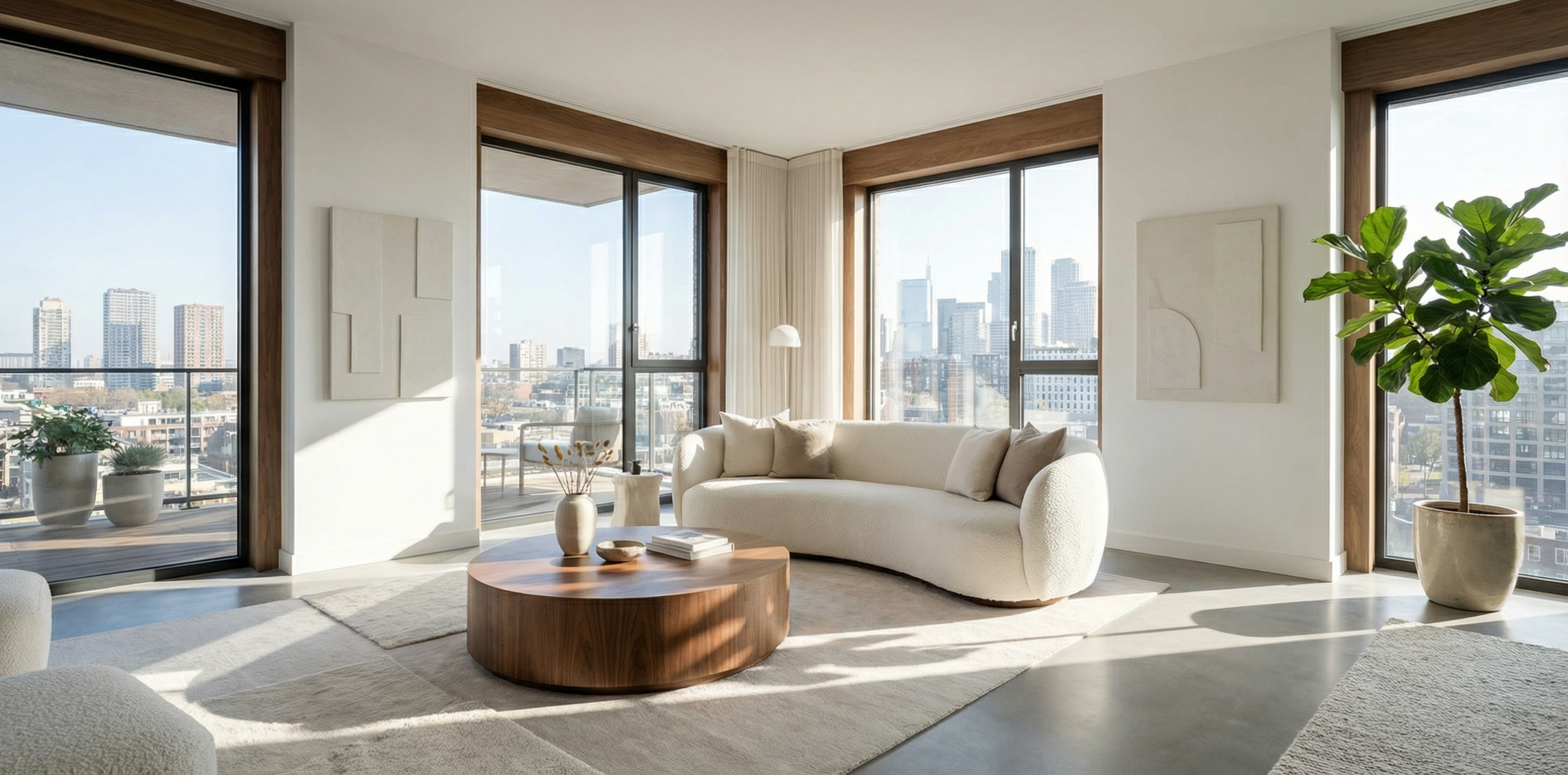
There’s a moment every buyer experiences when they’re scrolling through listings online — a brief, almost unconscious judgment call. Within a few seconds of viewing photos, they either feel something or they don’t. That emotional response determines whether they book a showing or keep scrolling.
Property presentation is the single biggest lever you have over that moment. And in 2026, AI staging tools have made it possible for any agent — with any listing — to consistently trigger that feeling in buyers, without the cost and logistics of traditional staging.
This guide covers exactly how to build a property presentation system that converts: from the science of why buyers respond to staged spaces, to the practical workflow for using AI staging tools on every listing you take.
Why Presentation Converts (And Empty Rooms Don’t)
Understanding buyer psychology helps you use AI staging more strategically, not just aesthetically.
When a buyer views an empty room, they’re forced into an imaginative exercise: mentally furnishing the space, estimating proportions, projecting their life onto blank walls. Most buyers aren’t equipped for that exercise. They don’t have the spatial reasoning or interior design vocabulary to visualize potential — and even the ones who do still prefer not to work for it.
The cognitive load problem is real. Research into buyer behavior consistently shows that staged homes — both physically and digitally — receive more engagement and generate faster offers than empty equivalents. Staged listings sell faster and at higher prices across multiple independent studies. The mechanism isn’t mysterious: presentation reduces friction in the buyer’s imagination. It does the work for them.
Vacant properties compound this problem. Not only do empty rooms fail to inspire — they actively raise questions. Is something wrong with this home? Why is no one living here? A beautifully staged room short-circuits those doubts before they form.
The 2026 AI Staging Advantage
Traditional staging — furniture rental, stylist fees, move-in/move-out logistics — costs anywhere from $1,500 to $5,000 per listing and takes days to arrange. For vacant investment properties, multi-unit portfolios, or listings in slower markets, that cost-benefit math gets difficult fast.
AI virtual staging eliminates that equation entirely. You upload photos of the empty (or poorly furnished) space, choose a design style, and receive professionally rendered images in minutes. The cost per room is typically a small fraction of physical staging — and the results, with modern AI tools, are photorealistic enough that buyers frequently can’t distinguish them from real staging.
Tools like RealEstage.ai use advanced AI to analyze room geometry, lighting, and proportions, then place furniture and decor that fits the space naturally. The result isn’t a generic template dropped over your photo — it’s a rendering that accounts for perspective, shadow, and the specific dimensions of the room you photographed.
That technical sophistication matters because buyers are increasingly sophisticated. A staging render that looks artificial or proportionally off will undermine the trust you’re trying to build. The quality bar has risen significantly in the past two years, and top-performing AI staging platforms have risen with it.
Building a Presentation System, Not Just Staging Photos
The agents getting the best results from AI staging aren’t using it ad hoc — they’ve built it into a repeatable system that applies to every listing. Here’s what that system looks like.
Step 1: Photography Brief for AI Staging
AI staging works best when you start with clean raw material. Before the photographer shoots, brief them on the specific requirements:
- Full-room shots from corners — captures maximum depth and wall area for furniture placement
- Natural light preferred — AI tools render more naturally in daylight conditions
- No personal items in frame — easier to work with decluttered starting images
- Shoot every room, even utility spaces — laundry rooms, home offices, and bonus spaces all benefit from staging
This pre-staging photography brief takes five minutes to share and dramatically improves your output quality.
Step 2: Choose Your Design Style Strategically
Most buyers looking at properties in a given market share general aesthetic preferences. Contemporary and transitional styles perform broadly across demographics. Farmhouse and coastal styles resonate in specific regional markets.
With AI staging software, you can easily generate multiple versions of the same room in different styles — which gives you a powerful A/B testing tool. Run your staged photos past a few trusted colleagues or recent clients before finalizing. Within a few minutes, you’ll know which style is generating the strongest emotional response.
Step 3: Stage for the Buyer Profile, Not Your Taste
This is the most common mistake agents make with staging. Every design decision — furniture style, color palette, accessory choices — should be calibrated to your buyer pool, not your personal preference.
A condo targeting young professional buyers wants clean lines, minimal clutter, and bold accent pieces. A family home needs warm tones, comfortable furniture arrangements, and spaces that signal room for growth. A luxury property demands restraint — expensive simplicity rather than ornate excess.
AI virtual staging platforms typically offer style categories that map well to buyer demographics. Use them intentionally. Select the style that matches your target buyer, not the one that looks most impressive in isolation.
Step 4: The MLS Package
Once you have your AI-staged images, you need to use them correctly. Most MLS systems and state real estate commissions now require disclosure when staged images are used. The standard approach:
- Label AI-staged images clearly in the MLS photo caption (e.g., “Virtually staged for illustrative purposes”)
- Lead with 1-2 real (non-staged) photos so buyers have unaltered reference
- Follow with staged images to showcase potential
- Keep original photos available for serious buyers who request them
This disclosure-first approach is both legally sound and strategically smart — transparency builds trust, and buyers who see the potential alongside the reality are better prepared for showings.
The Conversion Metrics That Matter
Property presentation’s impact on conversion is measurable at every stage of the funnel. Here’s what to track:
Online view-to-save rate: When buyers save or favorite a listing, it signals high intent. Listings with professional-quality staged images consistently outperform unstaged equivalents on this metric. Your MLS or listing platform’s analytics will show this data — use it.
View-to-showing conversion: This is the ratio of listing page views to actual showing requests. A well-presented listing should convert at meaningfully higher rates than a poorly presented one. If you’re seeing a lot of views but few showings, your presentation is likely the friction point.
Days on market vs. comparable listings: Track this for your own listings with and without AI staging. The data will tell you what the aggregate studies confirm: better presentation compresses time on market.
Offer price vs. list price: Staged homes — virtually or physically — tend to generate offers closer to or above asking price. The mechanism is the same: when buyers can visualize themselves in a space, they assign it higher value.
AI Staging for Different Property Types
Not all listings benefit equally from AI staging — but the range of properties that do benefit is wider than most agents assume.
Vacant properties: The most obvious use case. Empty rooms are inherently hard to sell. RealEstage.ai’s virtual staging transforms bare spaces into warm, inviting environments that buyers can emotionally connect with — and does it in minutes rather than days.
Dated or poorly furnished properties: Sellers who refuse to declutter or whose furniture dates the home are common pain points. AI staging gives you a way to show buyers what the home could look like with updated furnishings, without asking the seller to change anything.
Investment and multi-unit properties: Investors making decisions on multiple properties simultaneously often work remotely and rely heavily on listing photos. Strong staged presentations help your listings stand out in a competitive investment property market.
New construction: Builders and developers use AI staging to sell before construction completes. Staged renderings of empty units help buyers visualize finished spaces before a single piece of furniture exists.
Vacation and short-term rental listings: Properties listed on Airbnb, VRBO, and similar platforms compete on visual appeal more than almost any other real estate category. AI staging can completely reposition a dated vacation rental’s visual brand.
Integrating AI Staging Into Your Listing Presentation
Here’s where AI staging becomes a business development tool, not just a marketing one.
When you present a prospective seller with your marketing plan, showing them before/after AI staging examples — with your own listings or demonstration pairs — creates immediate, visceral differentiation from competing agents. You’re not just saying you’ll market their home better. You’re showing them exactly what “better” looks like.
The before/after format is powerful because it proves ROI visually. Sellers can see the transformation in a side-by-side comparison. They understand, immediately, why buyers respond differently to staged versus unstaged images.
Agents using tools like RealEstage.ai for listing presentations report that the AI staging demonstration consistently ranks as one of the most memorable and persuasive parts of their pitch. In a market where differentiation is everything, that’s a significant competitive advantage.
Building Your AI Staging Workflow
Once you’ve adopted AI staging as a standard part of your listing process, systematizing the workflow is straightforward:
- Pre-listing photography brief — share staging requirements with your photographer
- Upload and stage — use your AI platform to generate staged versions, typically 24-48 hours after photo delivery
- Style selection — choose 1-2 styles that match your buyer profile
- Disclosure labeling — prepare MLS-compliant captions before upload
- Package and upload — lead with real photos, follow with staged imagery in MLS
- Social and marketing assets — use staged images across all marketing channels
With an established workflow, the entire process adds minimal time to your pre-launch checklist — and the payoff in listing performance compounds across every property you represent.
What to Look for in an AI Staging Platform
The AI staging market has grown significantly in the past two years, and not all platforms deliver the same quality. When evaluating tools, prioritize:
Photorealism quality: Does the rendered furniture look like it belongs in the room, or does it look pasted in? Shadow, perspective, and proportional accuracy are the key differentiators.
Style range: Does the platform offer enough design styles to match your different buyer profiles? More variety means better targeting.
Turnaround time: Professional-grade results in minutes, not days, is the standard in 2026. If a platform is taking 24+ hours, it’s behind the curve.
Ease of use: The best AI staging tools require no design expertise — you upload photos, make selections, and receive results. If you need a designer to use the software, it’s not built for agents.
Pricing model: Per-image pricing works well for lower-volume users. Subscription models make more economic sense once you’re staging multiple listings per month.
RealEstage.ai delivers across all of these criteria — fast, photorealistic results with multiple design styles, built specifically for real estate professionals who need quality without complexity.
The Agent Productivity Angle
Beyond conversion, AI staging delivers a meaningful productivity benefit that’s easy to overlook.
Traditional staging requires coordinating with furniture rental companies, scheduling delivery and pickup, managing logistics across the listing lifecycle, and absorbing significant costs — either personally or in negotiation with sellers. That’s a significant time and energy investment per listing.
AI staging eliminates all of it. The entire workflow — from photo upload to finished presentation-ready images — is self-serve and fast. For agents managing multiple active listings simultaneously, that time savings compounds quickly.
Top-producing agents are running higher listing volumes than their competitors in part because they’ve removed friction from every repeatable task in their workflow. AI staging is one of the highest-leverage removals available — substantial impact, minimal ongoing time investment.
The Bottom Line
Property presentation is where listings are won or lost — and buyers make those judgments within seconds of viewing your photos. AI virtual staging gives you the ability to control that first impression at scale, across every listing you take, for a fraction of the cost and effort of physical staging.
The agents building AI staging into their standard workflow aren’t doing it as a novelty. They’re doing it because the data supports it: more views, more showings, faster offers, better prices. That’s the conversion cycle that property presentation drives — and AI staging is the most efficient way to unlock it.
If you’re not already using AI staging on your listings, RealEstage.ai is the place to start. Upload your first listing photos and see the difference for yourself.