Here’s the problem most agents don’t talk about: virtual staging everything costs more than it needs to, and staging the wrong rooms delivers almost no return.
The buyers scrolling Zillow on a Tuesday night aren’t judging every corner of your listing equally. They’re making a snap decision based on three or four specific spaces — and if those spaces don’t spark something, they’re gone. Understanding which rooms carry the most emotional weight in a buyer’s decision is the difference between a listing that sits and one that generates showing requests within 48 hours of going live.
This guide breaks it down room by room, with staging priorities, design style guidance for different buyer demographics, and how modern AI virtual staging tools make the whole process faster and more affordable than ever.
Why Room Prioritization Matters in Virtual Staging
According to the National Association of Realtors’ 2025 Profile of Home Staging, 83% of buyers’ agents reported that staging made it easier for buyers to envision the property as their future home. But the NAR data also reveals something more specific: not all rooms are equal in their staging impact.
Buyers’ agents ranked the living room as the most important space to stage (37% prioritized it), followed by the primary bedroom (34%) and kitchen (23%). Meanwhile, the guest bedroom ranked last — only 7% of buyers’ agents called it a priority. That gap matters enormously when you’re deciding where to allocate your staging budget.
When you use AI virtual staging tools, cost-per-room drops dramatically compared to traditional staging — from $1,500–$4,000 for a full physical staging to as low as $30–$80 per room digitally. But even at those prices, staging strategically beats staging comprehensively. Put your resources where buyers are actually looking.
Room 1: The Living Room — Your Most Valuable Asset
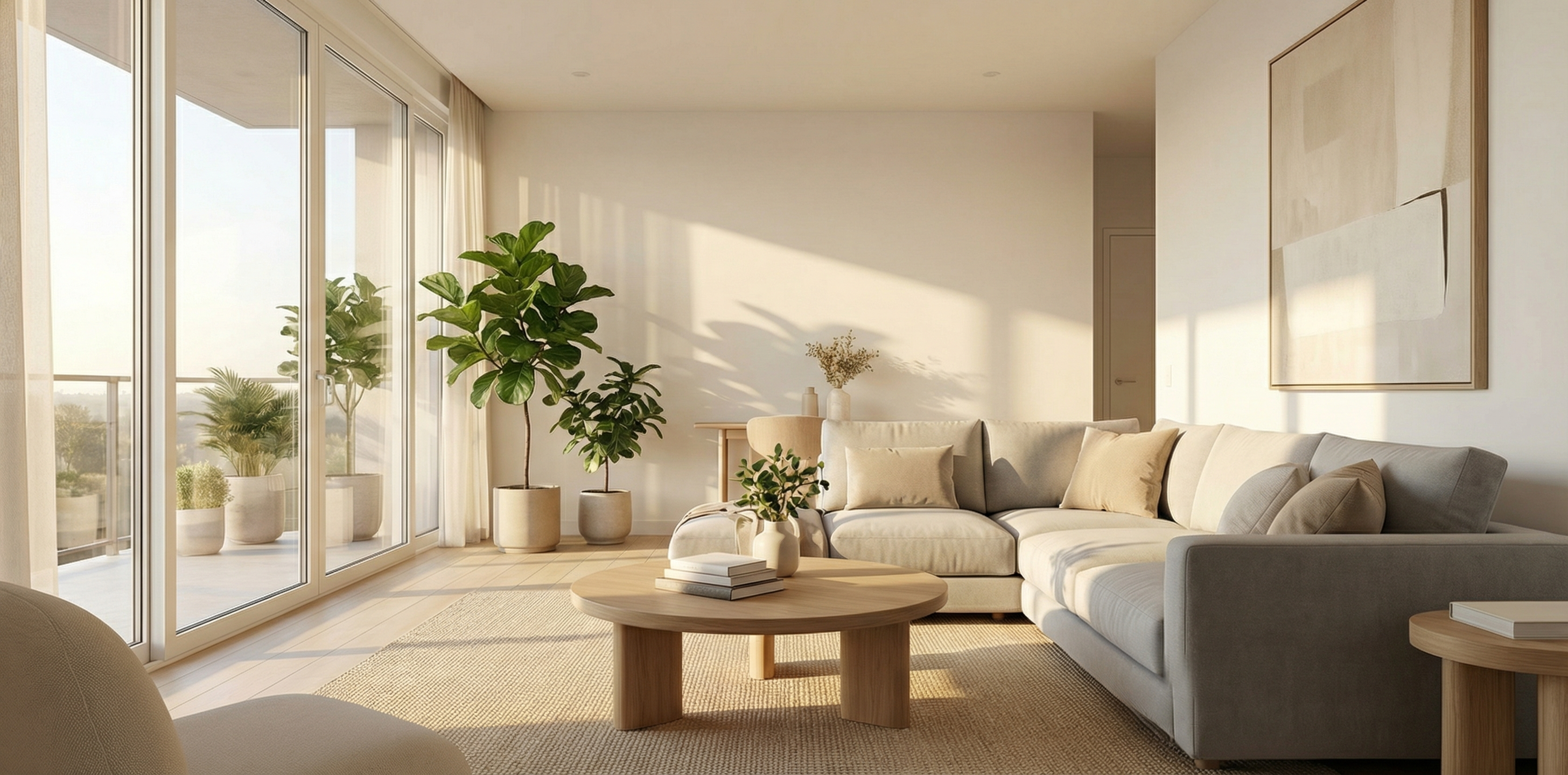
The living room is the heart of every listing. It’s the first interior space most buyers click into, and it’s where they mentally host dinner parties, envision Sunday mornings, and project the feeling of home. An empty living room destroys this visualization process. A virtually staged one unlocks it.
What to prioritize:
- A clearly defined seating arrangement (sofa + two accent chairs minimum)
- A focal point — fireplace, feature wall, or large window highlighted by furniture placement
- Area rug to anchor the space and make it feel intentional
- Natural light should dictate the staging style: bright rooms suit modern minimalist; darker rooms benefit from warmer, cozier palettes
Style guidance by buyer demographic:
- First-time buyers / millennials: Modern minimalist or Scandinavian — clean lines, neutral tones, functional layouts
- Move-up buyers with families: Transitional style — comfortable, livable, slightly formal without being stuffy
- Luxury buyers: Contemporary or mid-century modern — statement pieces, higher-contrast design, deliberate negative space
Tools like RealEstage.ai let you upload a photo of the empty living room and generate multiple design style options in minutes, so you can test which aesthetic fits the property before committing to a look.
Room 2: The Primary Bedroom — Emotional Anchor of the Decision
If the living room is where buyers evaluate the home’s social potential, the primary bedroom is where they decide whether they can see themselves living there. It’s deeply personal. An empty primary bedroom with bare walls and no sense of scale reads as cold and institutional.
Virtual staging transforms this instantly. The goal isn’t to sell a bedroom — it’s to sell the idea of retreat, rest, and personal space.
What to prioritize:
- Centered bed with symmetrical nightstands — this is non-negotiable for visual balance
- Layered bedding with texture (photographically, this signals quality)
- At least one piece that signals luxury or intention: a bench at the foot of the bed, an upholstered headboard, reading chairs in a corner window
- Show the closet if it’s a strong selling point — an AI-staged walk-in with organized shelving images outperforms a description every time
Scale matters enormously here. One of the most common mistakes with virtual staging is placing furniture that’s too small for the room, making it feel larger than it actually is. Buyers who visit in person and find the room smaller than the photos feel misled — and that erodes trust. When working with AI staging platforms, look for tools that use proper room proportions. RealEstage.ai’s AI virtual staging renders furniture at accurate scale, which is critical for setting realistic expectations.
Room 3: The Kitchen — The Functional Showstopper
Kitchens are often already finished spaces with appliances, cabinets, and countertops that don’t need furniture staging. But they do need presentation staging — and this is where many agents leave money on the table.
Virtual staging for kitchens typically focuses on:
- Lifestyle accessories: coffee maker, cookbook stand, fruit bowl, fresh herbs on the window ledge
- Counter decluttering and refinishing (removing existing personal items digitally)
- Lighting enhancement to make the space feel brighter and more inviting
- Highlighting island seating potential with bar stools where applicable
The key in kitchens is restraint. A kitchen staged with too many props looks cluttered. The goal is “curated and lived-in, not messy.” Two or three thoughtfully placed items outperform a packed counter every time.
If your listing has an outdated kitchen, AI staging tools can also visualize potential renovations — showing buyers what the space could look like with updated finishes without the cost of actual renovation photography.
Room 4: The Dining Room — Underused, Undervalued
Agents consistently underestimate the dining room. According to NAR staging data, sellers’ agents staged the dining room in 69% of listings — making it the third most commonly staged space by practitioners who know the data.
An empty dining room communicates one thing to buyers: awkward dead space. A virtually staged dining room communicates: this is where your family happens.
Staging priorities:
- A properly sized dining table for the room (this is the single most important scale decision in any listing)
- Pendant lighting over the table (if there’s a fixture, the staging should acknowledge it)
- Chairs that suggest the household size — 6-chair arrangements suit move-up buyers, 4-chair arrangements suit couples and smaller households
- A simple centerpiece: candle arrangement, low vase, or simple greenery
The dining room pairs naturally with open-plan living room staging. If your property has an open-concept kitchen-dining-living area, staging all three rooms cohesively — with matching design style and color palette — creates a powerful visual flow that makes the entire main level feel intentional and spacious.
Room 5: The Home Office — The 2026 Must-Stage Space
Here’s the room that barely mattered in 2019 and is now a top-3 consideration for a huge segment of buyers: the dedicated home office.
With hybrid and remote work becoming a permanent fixture of professional life, buyers actively seek listings with office space — and they’re making faster offers on homes that show they have it. A spare bedroom or bonus room staged as a polished home office signals to this buyer that the property understands their life.
Home office staging priorities:
- A substantial desk (not a college dorm desk — something that communicates professional work)
- Bookshelves or storage that signals organization
- Natural light direction: window behind or beside the desk, never in front (glare is a work-from-home dealbreaker)
- A comfortable chair that communicates this is a real workspace, not an afterthought
For listings with only one potential office space, consider A/B testing two virtual staging versions: one staged as a bedroom, one as an office. Some AI staging platforms support this kind of multi-variant output. Use the office version in targeted marketing to remote workers in your buyer demographic.
Room 6: The Outdoor Space — Frequently Forgotten, Highly Impactful
Patios, decks, and backyards are among the most searched amenities on listing platforms — and one of the most poorly presented. An empty concrete patio photographs as a grey wasteland. The same space with a virtually staged outdoor dining set, string lights, and container plants photographs as a reason to make an offer.
Virtual staging for outdoor spaces requires extra attention to realism: sunlight direction, shadows, and the visual relationship between indoor and outdoor areas must be handled correctly or the image looks unconvincing. This is where choosing the right AI tool matters — RealEstage.ai is specifically designed for realistic staging output that holds up to buyer scrutiny.
Outdoor staging priorities:
- Define the zone: dining area, lounge area, or both if space permits
- Show greenery and screening (privacy matters to buyers)
- Include lighting even in daytime shots — string lights and lanterns photograph beautifully and signal that the space is genuinely enjoyed
- Show the transition from indoors to outdoors if there’s a sliding door or large windows — this visual connection is a premium feature worth highlighting
The Rooms You Can Usually Skip
Not every room needs staging investment. Guest bedrooms, secondary bathrooms, and utility areas typically have minimal impact on buyer decisions and can either be photographed empty or with minimal props.
The exception: if a guest bedroom has a distinctive feature (vaulted ceilings, bay window, corner position with two windows), it may be worth staging to highlight that feature. Use your judgment based on what makes the room special, not just the category.
Building Your Room-by-Room Staging Strategy
Here’s a practical framework for prioritization:
High ROI (always stage):
- Living room
- Primary bedroom
- Kitchen (lifestyle accessories/presentation)
- Dining room
High ROI for specific buyer segments (stage when relevant):
- Home office (remote worker buyers)
- Outdoor space (warm climate markets, or listings with strong outdoor features)
Low ROI (stage only if distinctive):
- Secondary bedrooms
- Secondary bathrooms
- Laundry/utility spaces
For a typical 3-bedroom listing, staging five to six rooms strategically delivers far better results than staging nine rooms indiscriminately. And with AI virtual staging platforms like RealEstage.ai, the cost of getting all five high-priority spaces done professionally is a fraction of what traditional staging costs for even one room.
Getting the Style Right: Matching Design to Your Buyer
Room prioritization is only half the equation. Staging a living room in a style that repels your target buyer demographic is worse than not staging it at all — because now you’ve actively created a mismatch between the buyer’s taste and what they see online.
Here’s a quick reference for matching staging style to buyer type:
| Buyer Type | Recommended Style | Key Elements |
|---|---|---|
| First-time buyers / millennials | Modern minimalist | Clean lines, neutral palette, minimal decor |
| Young professionals (urban) | Industrial / contemporary | Exposed materials, bold accents, statement lighting |
| Move-up families | Transitional / traditional | Warm tones, comfortable furniture, functional layouts |
| Luxury buyers | Contemporary / mid-century | High-contrast, designer pieces, deliberate negative space |
| Downsizers / retirees | Classic traditional | Familiar patterns, warm lighting, formal dining emphasis |
The best AI staging platforms let you specify the design style before generating output — so you can match the aesthetic to your buyer profile rather than getting a generic result. This level of control is one of the key features that separates professional AI virtual staging tools from basic photo filters.
The Speed Advantage of AI Staging
Traditional staging for a five-room property typically takes 3–5 days from consultation to completion — plus the physical setup, photography, and eventual removal. AI virtual staging compresses this entire timeline to hours.
You upload your listing photos, select your style preferences, and receive polished staged images ready for MLS, Zillow, and social media. For agents working fast-moving markets where time-on-market in the first 72 hours determines final sale price, this speed is a genuine competitive advantage — not just a cost saving.
AI tools like RealEstage.ai are built around this speed requirement: intuitive upload flow, rapid generation, and immediate download — so you can go from raw listing photos to market-ready presentation in a single afternoon.
The Bottom Line: Stage Smart, Not Comprehensive
The agents getting the best results from virtual staging in 2026 aren’t staging every room — they’re staging the right rooms, in the right style, for the right buyer. That strategic discipline, combined with the speed and affordability of modern AI staging tools, is what separates listings that generate immediate showing traffic from listings that languish.
Start with your living room, primary bedroom, and dining room. Add the home office if you’re targeting remote workers. Finish with outdoor spaces if they’re a genuine asset. Match your style to your buyer demographic. And use an AI virtual staging platform that delivers realistic, proportionally accurate output your buyers can trust.
That’s the formula. And the technology to execute it has never been more accessible.