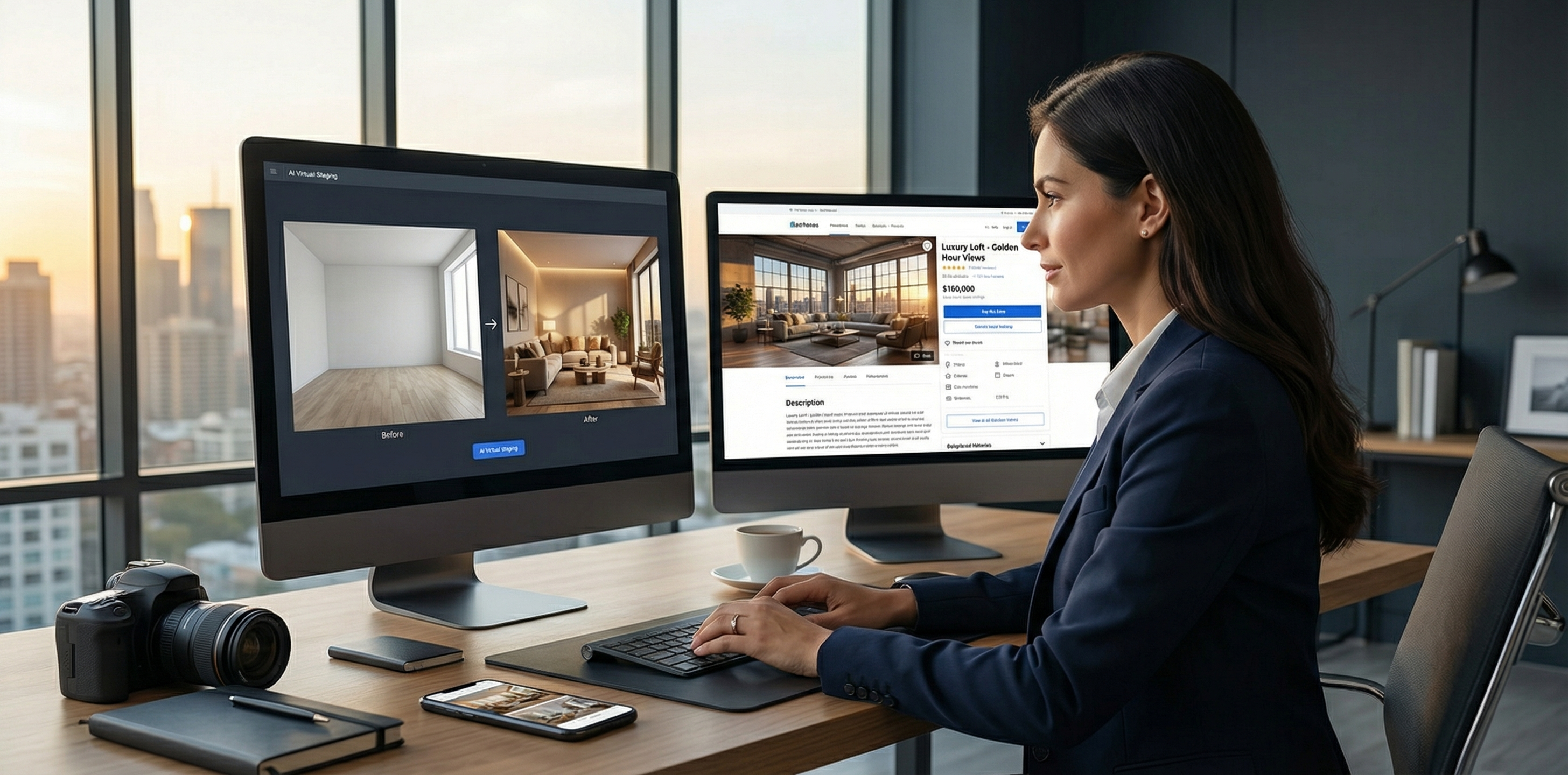
There’s a moment every real estate agent knows too well: you leave the photoshoot, SD card full of raw property photos, and you’re staring down a to-do list that could easily eat two full days. Coordinate with a stager or virtual staging service. Write a compelling MLS description. Draft email copy for your sphere. Pull social posts for Instagram and Facebook. Create a just-listed announcement. Build out the full marketing packet.
By the time everything’s done, momentum has been lost — and in a competitive market, momentum is money.
The agents closing the most deals in 2026 don’t work harder on this. They’ve built a system. An AI-powered listing launch system that compresses the full workflow from raw photography to live, fully marketed listing into under two hours. Every time. For every property.
This is that system.
Why 2 Hours Is the New Standard
It sounds aggressive until you understand what AI has actually made possible. The bottleneck in traditional listing prep isn’t creativity or effort — it’s sequential, manual work: waiting on the staging company, iterating on descriptions with sellers who want edits, resizing the same photo seventeen times for different platforms.
AI eliminates almost all of that waiting. The workflow becomes parallel rather than sequential, and each step that used to require a vendor or a specialist now takes minutes.
Top producers who’ve adopted this approach report getting 3-5 listings marketed per week with the same effort it used to take to handle one. That’s not a marginal improvement — that’s a practice-transforming shift.
The 5-Step AI Listing Launch System
Step 1: AI Virtual Staging (20–30 minutes)
The moment your photographer delivers the photos, your staging work begins — not when a truck shows up.
Upload your empty or sparsely furnished property photos to an AI virtual staging platform and generate 3–5 staged variations per key room: living room, primary bedroom, kitchen, and any standout spaces. Most platforms return results in under 10 minutes per image.
What to optimize for:
- Style matching to the neighborhood: a Craftsman bungalow in Portland calls for a different aesthetic than a high-rise condo in Miami. Good AI staging tools let you specify style — Scandinavian, Modern Farmhouse, Contemporary, Transitional — so the digital furnishings feel organic to the space.
- Multiple buyer demographics: stage one version for a young professional couple, another for a family. You’ll use these in targeted social ads later.
- Select hero shots strategically: the lead listing photo is usually the living room or the most architecturally distinctive space. Stage that one first, with the highest attention to detail.
Platforms like RealEstage.ai are purpose-built for this step — producing photorealistic results that hold up under buyer scrutiny and comply with MLS disclosure requirements. The output quality matters enormously here, because buyers have become sophisticated about spotting low-quality AI staging, and a bad staged photo is worse than no staged photo.
Important: Per California’s AB 723 (and similar regulations emerging in other states), virtually staged images must be labeled as such in your listing gallery. Use a disclosure-compliant AI platform that builds this workflow in, and you avoid both ethical and legal risk.
Step 2: AI-Generated Listing Description (15–20 minutes)
The MLS description is where most agents spend far too much time staring at a blank page. With AI, you never start from scratch.
Your input to the AI:
- Property address and MLS category
- Square footage, bed/bath count, year built
- 5–10 bullet points of notable features (the deck, the chef’s kitchen, the school district, the recent roof)
- Target buyer profile (investor, first-timer, upsizing family, downsizing couple)
- Neighborhood highlights
- Desired tone (aspirational and lifestyle-forward vs. detailed and feature-focused)
The AI returns a full draft — typically 200–300 words — in under a minute. Your job is to edit, not write. Add the seller’s story, fix any hallucinated details, and punch up the emotional hook at the opening. What takes most agents 90 minutes now takes 15.
Pro tip: Generate 3 description variants with different opening hooks. Show them to your seller and let them choose. It creates buy-in and positions you as thorough and collaborative without any additional real work on your part.
Step 3: Complete Marketing Copy Package (20–25 minutes)
With staged photos and a polished description in hand, a single AI session can produce your entire marketing copy stack simultaneously:
- Email announcement for your sphere of influence (500–700 words, lifestyle-forward, includes staged hero photo)
- Just-Listed social posts for Instagram (caption + hashtag set), Facebook (longer-form, includes price and details), and LinkedIn (professional, investor-oriented angle)
- Property webpage headline and subheadline for your brokerage site or personal site
- Open house event copy for Eventbrite, Facebook Events, or Nextdoor
- Print postcard copy for the neighborhood just-listed mailer
Feed the AI your MLS description, the property address, the target buyer, and a sample of your personal brand voice. Then prompt it to produce all six asset types in a single session. You review, light-edit, and export.
The agents using RealEstage.ai’s marketing suite are doing exactly this — integrating the staging output directly into their marketing copy workflow, so the language and the imagery are telling the same story from day one.
Step 4: Photo Optimization and Syndication (15–20 minutes)
Raw photos from your photographer arrive at full resolution — often 20–40MB per file. Before syndication, you need:
- Resized versions for MLS upload (usually capped at 5MB per image)
- Web-optimized versions for your site and email (under 500KB for fast loading)
- Social-sized crops in square (1:1) and portrait (4:5) formats for Instagram
- Wide versions for Facebook and Twitter/X (1.91:1)
This used to require Photoshop knowledge or a VA with design skills. In 2026, batch image processors with AI-assist (like Lightroom’s automated export presets, or dedicated real estate photo tools) handle all of this in a single export action. Set it up once, and every listing flows through the same automated pipeline.
A critical detail most agents miss: your hero image for email and web should be the staged version, not the raw shot. The staged image converts at a measurably higher rate — buyers click through more often, spend more time on the listing page, and are more likely to book a showing. The data on this is consistent across markets.
Step 5: MLS Input and Go-Live Checklist (15–20 minutes)
The final step is the one no AI fully automates — yet — because MLS data entry still requires a human touch for accuracy and compliance. But AI can dramatically speed even this:
AI-assist for MLS:
- Use your generated description directly (paste and light-edit for character limits)
- Have AI pre-fill your marketing remarks, showing instructions, and agent notes from the same property brief
- Use an AI checklist tool to verify nothing’s missing before submission
Your go-live checklist:
- All staged images uploaded and labeled with disclosure language
- MLS description within character limits, all facts verified
- Status set correctly (Active vs. Coming Soon)
- Showing instructions confirmed with seller
- Open house date/time entered
- Price and HOA details double-checked
- Photo order reviewed — hero shot is #1
- All marketing copy assets queued for release at go-live
When the listing goes live, your entire marketing campaign deploys simultaneously: the email goes out to your sphere, the social posts go live, the postcard is queued for print, and you’re already moving to the next listing.
Building the System: What You Need
This workflow requires three things: the right tools, one-time setup investment, and discipline to follow the process every time.
The core tool stack:
| Stage | Tool Type | What to Look For |
|---|---|---|
| Virtual Staging | AI staging platform | Photorealism, style variety, disclosure support |
| Descriptions | AI writing tool | Real estate-specific training, fact-accuracy |
| Photo Batch Processing | Export automation | MLS-spec compliance, multi-format output |
| Marketing Copy | General AI + templates | Voice-matching, multi-format output |
| Coordination | Project management | Checklists, seller communication, deadlines |
For the staging step specifically, the quality of your AI platform is the biggest variable in how well this system works. A platform that produces flat, plastic-looking renders will undermine the entire workflow — buyers recognize low-quality AI staging immediately, and it signals carelessness rather than professionalism.
RealEstage.ai was built with this bar in mind: photorealistic output that reads as aspirational photography, not obviously computer-generated. Agents who’ve switched from lower-quality alternatives consistently cite the difference in buyer engagement and the elimination of seller complaints about staging quality.
The one-time setup investment:
Your first run through this system will take closer to 4–5 hours, not 2. That’s normal — you’re building your templates, learning your tools’ output patterns, and establishing your personal editing standard. By the third listing, you’ll be reliably under 2 hours. By the tenth, it’s second nature.
The Compounding Advantage
Here’s what makes this system more valuable over time: every listing you run through it makes you faster and better at it.
Your templates improve. Your eye for editing AI output sharpens. You develop a precise sense of which staging styles your market responds to. Your sphere gets conditioned to your consistent, high-quality launch cadence and starts referring friends specifically because of how polished your listings look.
For busy buyer’s agents looking to add listings to their practice, this system removes the biggest objection: “I don’t have time to market listings properly.” You do — when the marketing takes 2 hours instead of 2 days.
For listing-focused agents already managing high volume, AI workflow systems are what separate the agents doing 30 transactions a year from the ones doing 80 — with the same support staff.
The technology is ready. The only question is whether you’re going to build the system before your competition does.
Getting Started This Week
You don’t have to overhaul everything at once. Start with Step 1 — the virtual staging step — on your next vacant or sparsely furnished listing. Run a single room through an AI staging platform like RealEstage.ai, compare it to your traditional workflow time and cost, and measure the buyer engagement difference.
Most agents who try AI staging once don’t go back. The quality-to-speed ratio is simply too compelling.
From there, add each subsequent step over the next month. By the time spring market peaks — traditionally the busiest listing season of the year — you’ll have a fully operational 2-hour launch system running on autopilot.
That’s a competitive advantage that compounds with every listing. Start building it today.
Related Articles
- AI Virtual Staging in 2026: The Complete Guide for Real Estate Agents
- The Listing Presentation Edge: How AI Staging Wins More Sellers Before You List
- The Digital-First Buyer Era: AI Property Presentation That Actually Converts
- Maximizing Property Value: The ROI of AI Virtual Staging for Modern Agents
- Virtual Staging Styles: How to Match Design to Your Buyer Market
- How AI Virtual Staging Boosts Agent Productivity and Sells Listings Faster
- The AI Real Estate Marketing Stack: Every Tool You Need to Optimize Listings and Sell Faster